
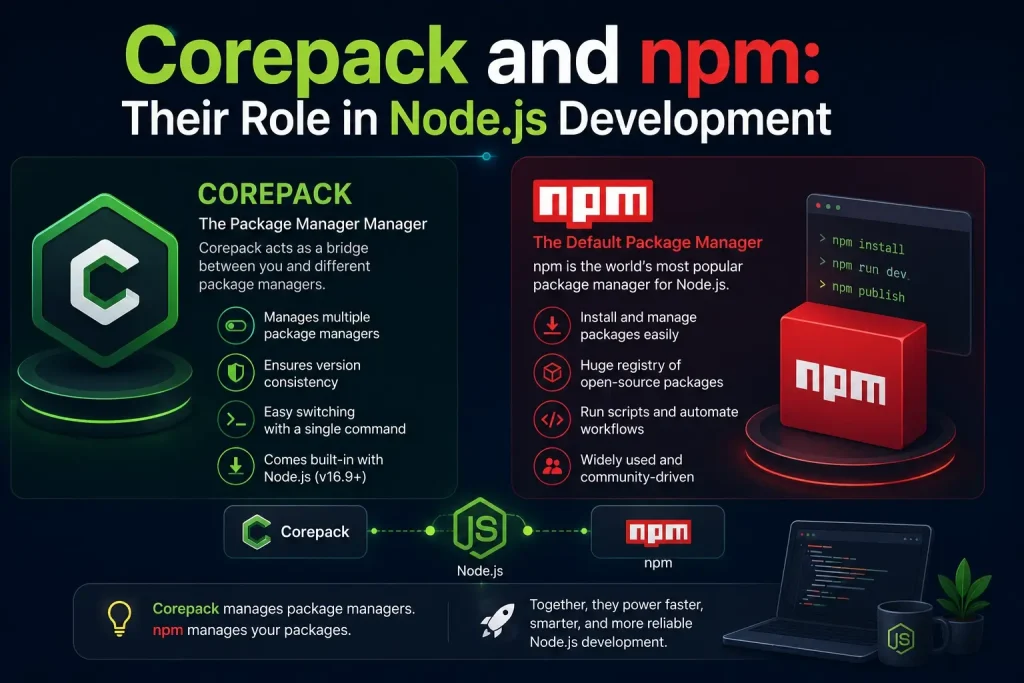
If you’re new to Node.js development, you’ve probably run into both “npm” and “Corepack” and wondered how they’re different, or whether you even need both. This guide breaks it down in plain language: what each tool does, how they work together, and why understanding the difference matters for smooth, reliable Node.js dependency management.
Quick Answer
npm is a package manager, it installs, updates, and removes the code libraries (called “packages” or “dependencies”) that your project needs to run.
Corepack is a version manager for package managers, it makes sure everyone working on a project uses the exact same version of npm, Yarn, or pnpm, without needing to install anything manually.
In short: npm does the installing. Corepack decides which version does the installing.
What Is npm?
npm (short for Node Package Manager) is the default package manager that ships with Node.js. It’s the tool most JavaScript and Node.js developers use to:
- Install third-party libraries and frameworks into a project
- Manage a project’s dependencies through the
package.jsonfile - Publish and share reusable code packages via the npm registry, the largest software registry in the world
- Run project scripts, like starting a development server or running tests
When you type a command like:
npm install express
npm downloads the Express library and adds it to your project, recording the exact version in a lockfile (package-lock.json) so the same version can be reinstalled later, on any machine.
npm has been part of the Node.js ecosystem since its earliest days and remains the default choice for most beginners and many production teams.
What Is Corepack?
Corepack is a tool built directly into modern versions of Node.js. Instead of managing your project’s dependencies, it manages which version of your package manager, npm, Yarn, or pnpm, gets used on any given machine.
This solves a very specific, very common problem: version drift. Without Corepack, different developers on the same team might have different versions of npm or Yarn installed locally, which can lead to:
- Inconsistent installs between team members
- Builds that pass locally but fail in CI/CD pipelines
- Lockfile conflicts and “works on my machine” bugs
Corepack fixes this by letting a project define its required package manager version directly in its configuration, for example:
"packageManager": "[email protected]"
Once this is set, Corepack ensures every developer, every CI server, and every deployment environment uses that exact version — automatically, with no manual installation needed.
How Corepack and npm Work Together
It’s easy to assume Corepack and npm compete with each other, but they actually serve different layers of the same software supply chain:
| Tool | Role |
|---|---|
| npm | Installs and manages your project’s dependencies |
| Corepack | Manages and enforces which version of npm (or Yarn/pnpm) is used |
Think of npm as the delivery driver bringing packages to your project, and Corepack as the dispatcher making sure the same driver, with the same equipment, shows up every time, no matter which warehouse (developer machine, CI server, or container) the delivery starts from.
Why This Distinction Matters for Node.js Development
Understanding the difference between a package manager and a package manager version controller isn’t just a technical detail, it directly affects build reproducibility, team efficiency, and long-term project stability.
Here’s why it matters in practice:
Consistent environments: When npm’s version is locked via Corepack, every environment (local, staging, production) installs dependencies the exact same way, reducing environment-specific bugs.
Easier onboarding: New developers don’t need to research which npm version to install; Corepack handles it automatically based on the project’s configuration.
Fewer CI/CD surprises: Automated pipelines behave predictably because the package manager version is defined in the codebase itself, not left to whatever happens to be installed on the build server.
Better dependency auditing: Locking versions makes it easier to track exactly what was used to build a release, which supports security reviews and compliance requirements.
Do You Need Corepack If You Already Use npm?
Not always, this depends on your project’s size and setup.
You probably don’t need it if:
- You’re working solo on a small or personal project
- Your project has no CI/CD pipeline
- You’re just experimenting or learning Node.js
You likely benefit from it if:
- You’re working with a team, even a small one
- Your project runs in CI/CD or Docker
- You’ve ever run into “works on my machine” issues
- You want reproducible builds across environments
How to Enable Corepack for npm
Most current Node.js versions include Corepack already, it just needs to be turned on.
corepack enable
To pin a specific npm version to your project, add this to your project’s configuration:
"packageManager": "[email protected]"
From that point on, anyone opening the project will automatically use npm version 10.5.0, without installing anything by hand.
Common Questions
Is Corepack a replacement for npm?
No. Corepack doesn’t install dependencies or manage packages, it manages which version of your package manager (including npm) is used.
Can Corepack manage npm the same way it manages Yarn and pnpm?
Yes. Corepack can pin and manage npm versions just as it does for Yarn and pnpm, keeping all three consistent across a project.
Will using Corepack slow down my npm installs?
Only very slightly, and only the first time a new version is downloaded. After that, performance is the same as a standard install.
Is npm still relevant if I use Corepack?
Absolutely. Corepack works with npm, not instead of it. npm still handles all dependency installation, Corepack just keeps its version consistent.
Conclusion
npm and Corepack aren’t competitors, they’re two layers of the same system working toward the same goal: dependable, predictable Node.js development. npm handles the day-to-day work of installing and managing your project’s dependencies, while Corepack quietly makes sure everyone on your team, and every environment your code touches, uses the exact same version to do it.
For small, solo projects, you may never notice the difference. But the moment a team, a CI/CD pipeline, or a production deployment enters the picture, that consistency becomes one of the simplest ways to prevent avoidable bugs. Understanding how these two tools fit together isn’t just useful trivia, it’s a small habit that saves real debugging time down the road.

