
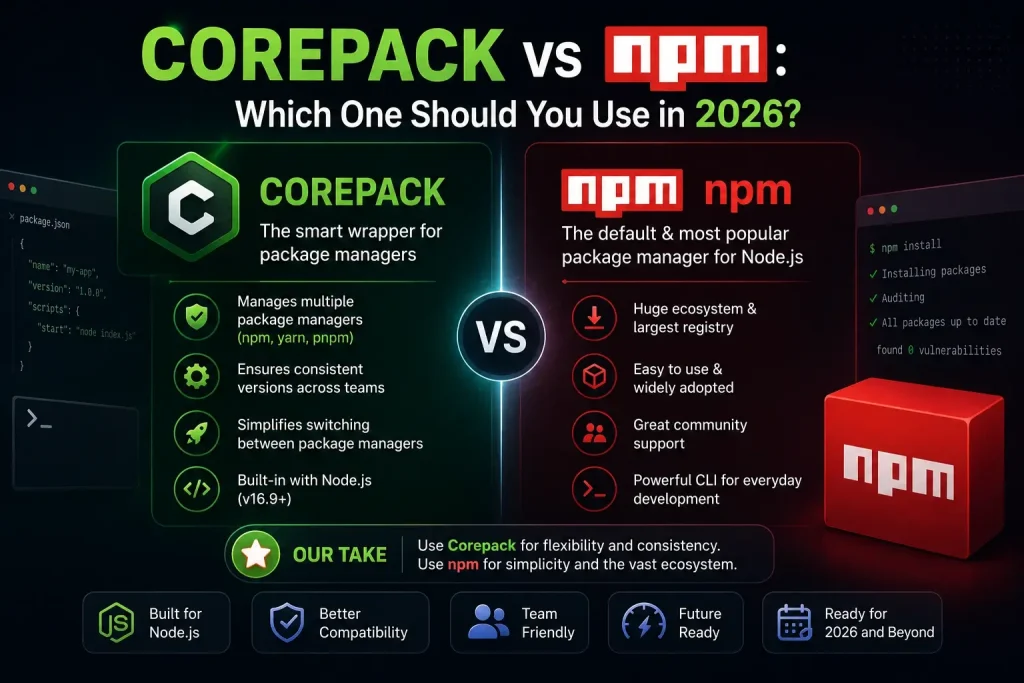
If you’re setting up a Node.js project and keep seeing both “Corepack” and “npm” mentioned side by side, you’re not alone in wondering how they compare. The short answer: they’re not really competitors, they solve two different problems. This guide walks through exactly what each one does, where they differ, and how to decide what your project actually needs.
What Is npm?
npm (short for Node Package Manager) is the tool that installs, updates, and manages the code libraries, called dependencies, that your project relies on. It comes bundled with Node.js by default and is the most widely used JavaScript package manager in the world.
With npm, you can:
- Install packages from the npm registry
- Manage dependencies through your project’s
package.jsonfile - Run scripts (like starting a server or running tests)
- Publish your own packages for others to use
If you’ve ever typed npm install, you’ve used it.
What Is Corepack?
Corepack is a tool built into modern Node.js versions that manages which version of a package manager. npm, Yarn, or pnpm, gets used on a project. It doesn’t install dependencies itself. Instead, it makes sure everyone working on a project, and every server running it, uses the exact same package manager version.
This solves a problem npm alone can’t: version consistency across different machines, developers, and environments.
Corepack vs npm: The Core Difference
Here’s the simplest way to think about it:
| npm | Corepack | |
|---|---|---|
| What it does | Installs and manages project dependencies | Manages and enforces package manager versions |
| Works with | Your project’s code libraries | npm, Yarn, and pnpm themselves |
| Solves | “What packages does my project need?” | “Which version of my package manager should run?” |
| Comes with Node.js | Yes, by default | Yes, but needs to be enabled |
In short: npm installs your dependencies. Corepack decides which version of npm (or another tool) does the installing.
They aren’t rivals, Corepack actually works with npm, not instead of it.
Key Features of npm
Massive package registry: Access to the largest collection of open-source JavaScript packages available anywhere.
Built-in script runner: Run custom commands like npm run build or npm run test directly from your project configuration.
Dependency locking: Uses a package-lock.json file to record exact versions installed, supporting reproducible builds.
Wide community support: Since npm has been the default for years, most tutorials, tools, and troubleshooting guides assume you’re using it.
Key Features of Corepack
Automatic version management: Detects and installs the exact package manager version your project needs, without manual setup.
No global installs required: Package managers run per-project instead of system-wide, avoiding version conflicts between unrelated projects.
Cross-tool support: Works with npm, Yarn, and pnpm, so teams aren’t locked into one package manager.
Built for team and CI/CD consistency: Because the version is defined in the project itself, every developer and every automated pipeline runs identically.
Where npm Falls Short (Without Corepack)
npm handles dependencies well, but on its own, it doesn’t guarantee that every developer on a team is running the same version of npm. This can lead to:
- Slightly different install behavior between team members
- CI/CD pipelines that behave differently than local machines
- Hard-to-diagnose “it works on my machine” bugs
This isn’t really a flaw in npm, it’s simply outside what npm was designed to manage. That’s the gap Corepack fills.
Where Corepack Falls Short (Without npm or another package manager)
Corepack, on its own, doesn’t install a single dependency. It has no ability to manage your project’s actual code libraries, it only manages which version of a package manager is used. Without npm, Yarn, or pnpm running underneath it, Corepack has nothing to do.
In other words: you can’t replace npm with Corepack, you can only make npm (or Yarn or pnpm) behave more consistently by pairing it with Corepack.
Which One Should You Use?
This isn’t really an “either/or” decision, most Node.js projects use npm (or another package manager) as their foundation, and add Corepack on top when consistency becomes important.
Use npm on its own if:
- You’re working solo on a small or personal project
- There’s no CI/CD pipeline involved
- You’re learning Node.js and want the simplest setup
Add Corepack if:
- You’re working with a team, even a small one
- Your project runs in CI/CD or Docker
- You’ve experienced version-related bugs before
- You want predictable, repeatable builds across every environment
How to Use Both Together
Getting started takes just a couple of steps:
- Enable Corepack:
corepack enable
- Pin your preferred npm version inside your project’s configuration:
"packageManager": "[email protected]"
From that point on, npm continues doing what it always has, installing your dependencies, while Corepack quietly ensures everyone uses the exact same npm version to do it.
Final Verdict
Corepack vs npm isn’t really a competition, it’s a partnership. npm remains the tool doing the actual work of installing and managing your project’s dependencies. Corepack simply adds a layer of consistency on top, making sure that work happens the same way every time, on every machine.
If you’re working alone on a small project, npm by itself is usually enough. But the moment a team, a CI/CD pipeline, or a production deployment enters the picture, pairing npm with Corepack is a small change that can prevent a surprising number of avoidable bugs.

